Medical clinic management software
You manage patients on paper, schedules in a spreadsheet and payroll by hand: every department holds its own version of the information. We install a single piece of software in your clinic linking admissions, care, pharmacy and payroll, on your own servers, with no monthly subscription and no per-seat licence.
What you gain
- 0 patient records sent outside
- 1 single system for every department
- 100 % of the code and database belong to you
In pictures
-
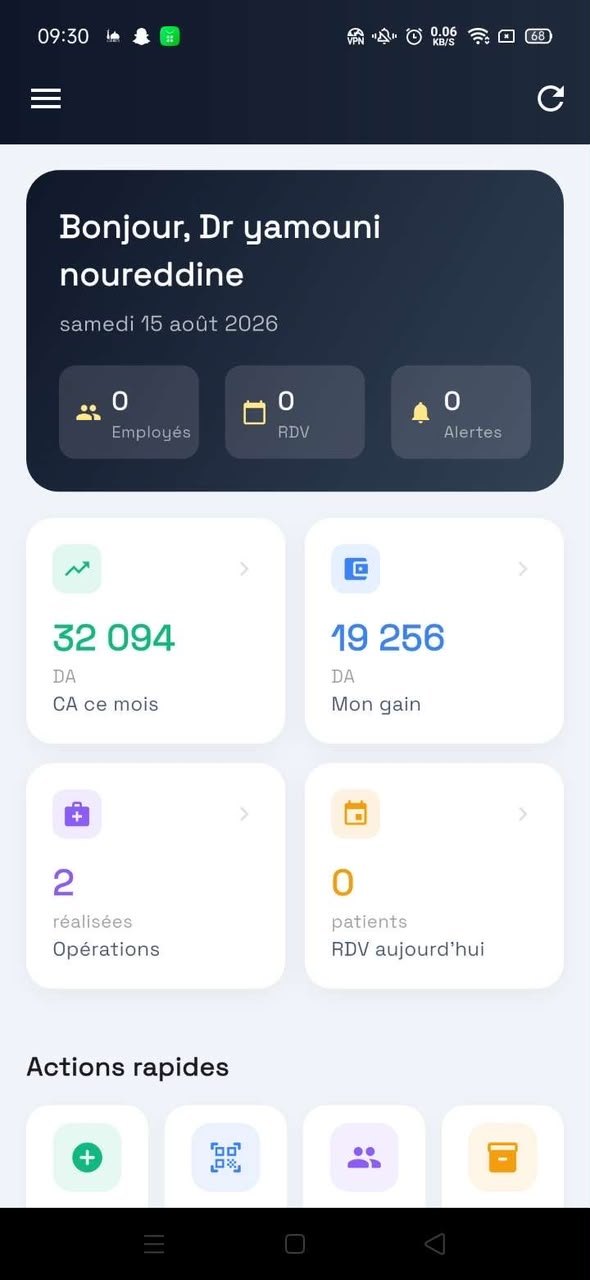
The dashboard follows activity day by day. -
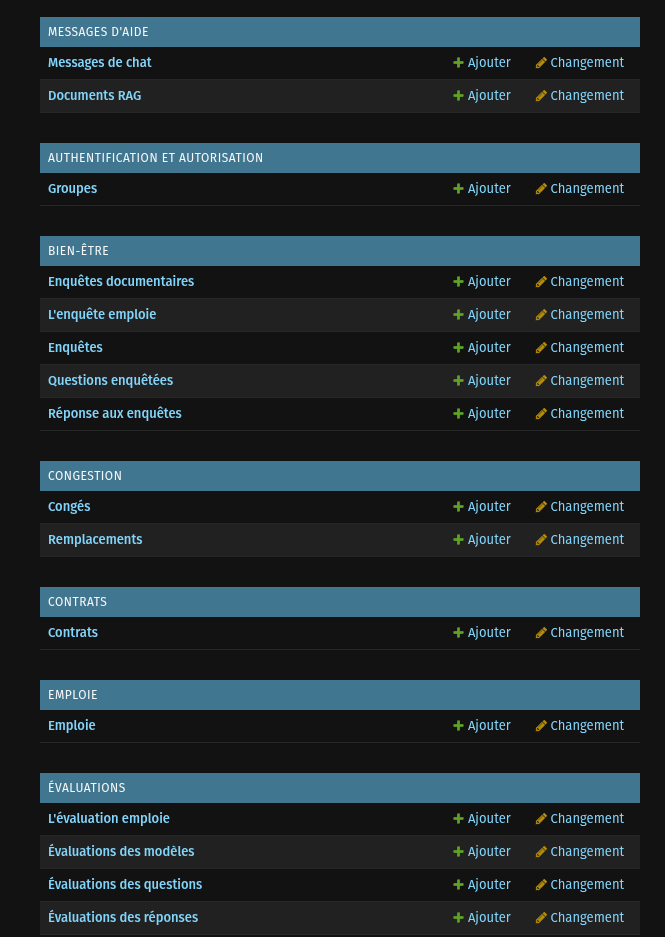
Every department in a single system.
The software covers the establishment's full chain: patient admission, the procedure performed, the consumable taken from stock, staff attendance and end-of-month payroll all belong to the same system. There is no intermediate spreadsheet left, and therefore no gap between two versions of the same figure.
Installation is on your own server. We size the hardware during scoping, migrate your existing data, and train your teams to administer it.
What the software includes
Patient records
<p>History, procedures, documents and a complete audit trail, accessible according to each user's role.</p>
Scheduling and appointments
<p>Diary by practitioner and by room, with availability and cover management.</p>
Pharmacy and stock
<p>Receipts, issues, alert thresholds and stocktakes, with mobile scanning of references.</p>
Payroll and human resources
<p>Contracts, attendance, leave, bonuses and automatic salary calculation according to your own rules.</p>
Administrative AI assistant
<p>Your teams ask management questions in plain language and get the figures back, within their own scope.</p>
Dashboards
<p>Activity, spending and profitability by department, consolidated without re-keying.</p>
The embedded AI
MedicalNova
The clinic's management assistant, partitioned department by department.
StockNova
What is left, what has moved, what is about to run out — in one question.
PaieNova
Payroll explained line by line, to the person receiving it and the person approving it.
TaskNova
Dictate the instruction, and it becomes an assigned task with a deadline.
BienNova
The internal climate survey, analysed without anyone reading the answers.
FormaNova
Who can do what, who needs training in what, and when.
CongeNova
A leave request arrives, and the cover is already proposed.
BioNova
Test results tracked from sample to report.
ImagerieNova
The dictated radiology report, transcribed and filed on site.
KineNova
Sessions, rehabilitation protocols and patient progress.
Who uses it
Frequently asked questions
Do you need a powerful server to run AI locally?
Less than people think. A workstation with a recent graphics card, or a Mac with an Apple Silicon processor, is enough to serve a language model for a team of ten to thirty people. We size the hardware during scoping, before any commitment.
What happens if the internet goes down?
The software keeps working. Since everything is installed on your local network, losing the external connection interrupts neither data entry, nor the AI, nor document printing.
Can you migrate our existing data?
Yes. We take on spreadsheets, exports from existing software and historical databases. Migration is a dedicated stage with a consistency check before go-live.
Do you build the mobile app as well?
Yes, in Flutter, with a single code base for Android and iOS. The app connects to the same server as the desktop software and is therefore subject to the same data boundary.
How do you guarantee a user only sees what concerns them?
Partitioning is applied in the data access engine, not merely in the interface. In practice, a user cannot obtain information outside their scope by rephrasing the question to the AI assistant: the restriction is imposed before the data is read.
Updated Aug. 11, 2026