Dental practice management software
A dental practice loses considerable time moving between the patient file, the quote, the consumables order and attendance tracking. We bring it all together in one piece of software installed at the practice: records, stock, suppliers, scheduling and payroll, with an AI assistant that answers administrative questions.
What you gain
- 0 patient records outside the practice
- 100 % of the AI executed on site
- 1 single entry, from practitioner to payroll
In pictures
-
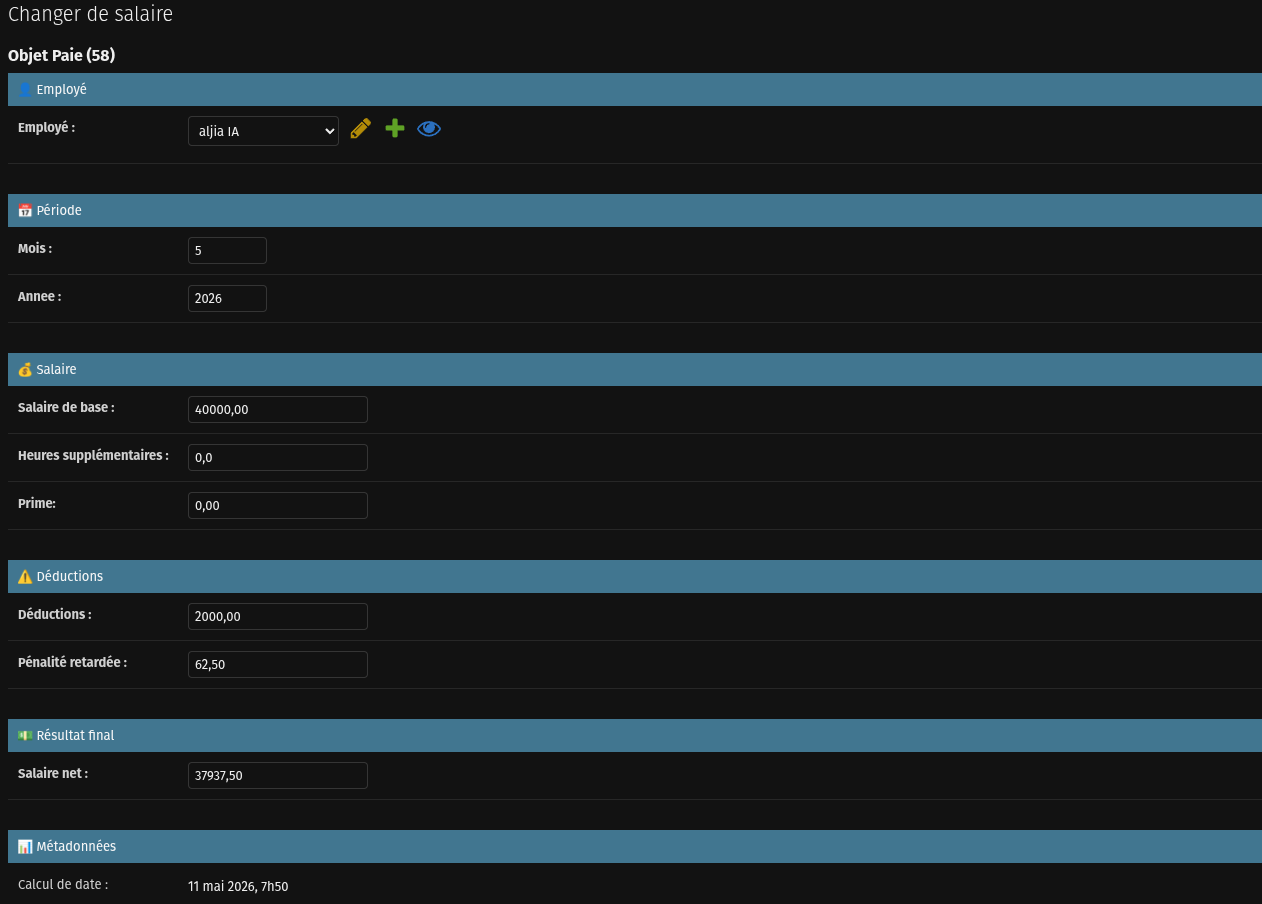
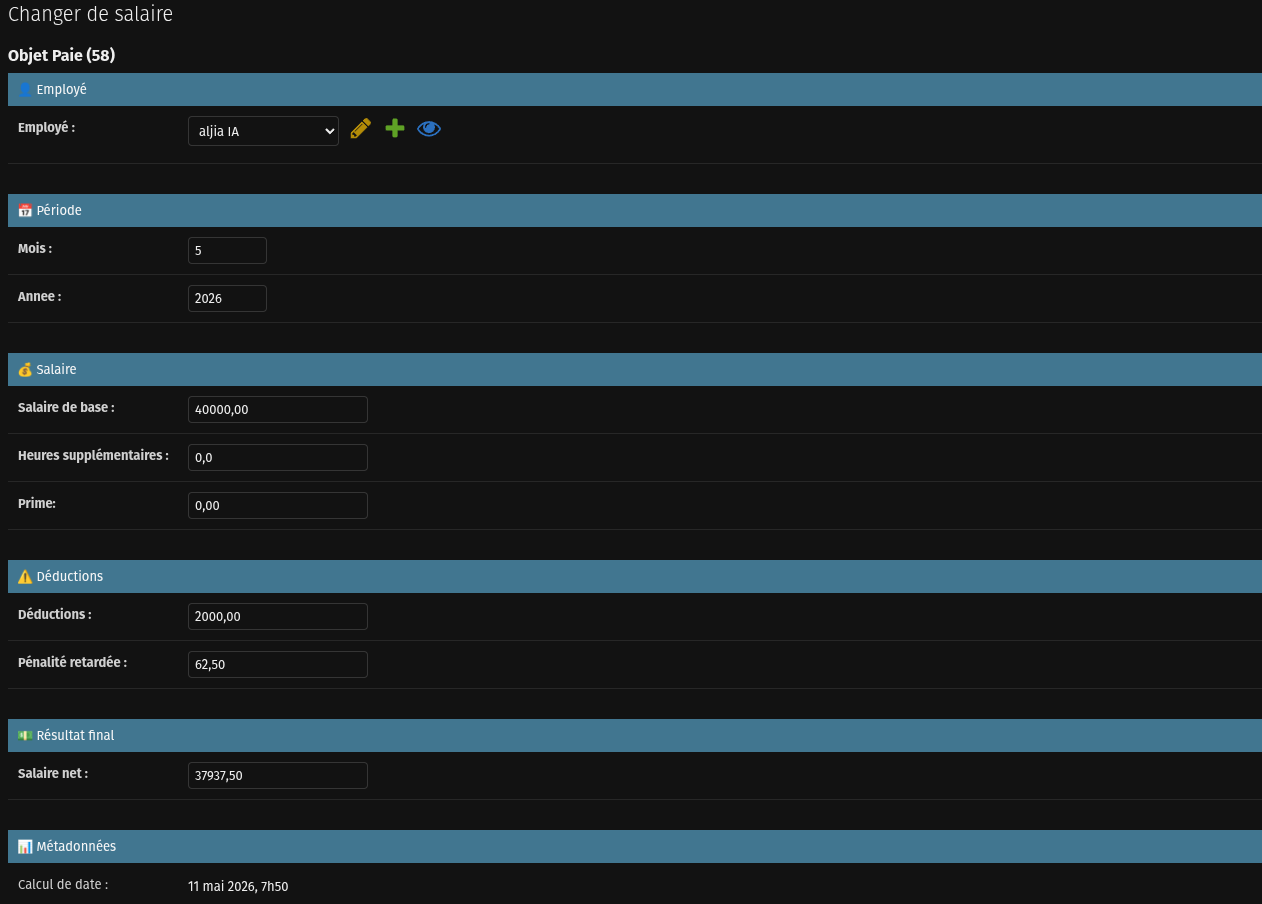
Attendance feeds payroll: no more manual reconciliation. -
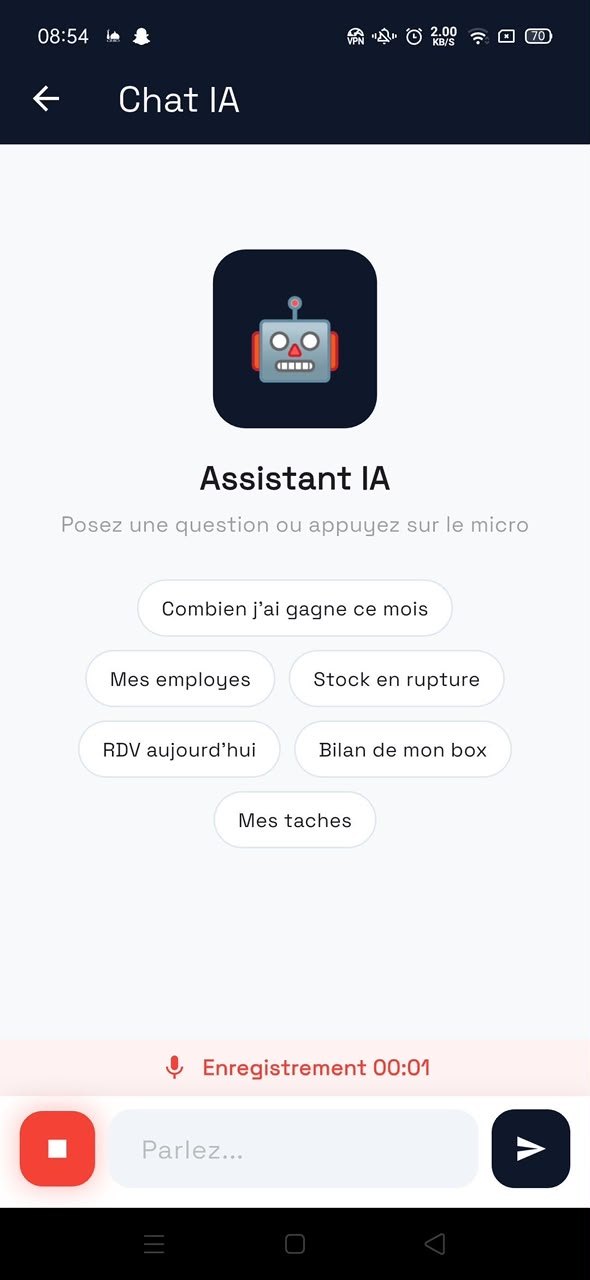
DentalNova, the assistant embedded in the software.
This software grew out of a real dental practice, with its real constraints: practitioners paid on a percentage basis, expensive consumables to track unit by unit, and attendance to monitor without spending your evenings on it.
The biometric time clock feeds attendance, attendance feeds payroll, and procedures feed practitioner pay. Each piece of information is entered only once.
What the software includes
Records and procedures
<p>Patient file, procedures performed, quotes and follow-up of ongoing treatments.</p>
Stock and suppliers
<p>Consumables, purchase orders and goods receipt, with reordering alerts.</p>
Biometric time clock
<p>ZKTeco time clock integration: attendance feeds payroll directly.</p>
Percentage-based pay
<p>Automatic calculation of practitioner pay from revenue and the practice's own rules.</p>
DentalNova
<p>The practice's AI assistant answers management questions, each role within its own scope.</p>
Reports and leave
<p>Lateness, absence and leave requests handled through the practice's approval circuit.</p>
The embedded AI
DentalNova
The dental practice's administrative assistant, partitioned by role.
PaieNova
Payroll explained line by line, to the person receiving it and the person approving it.
CongeNova
A leave request arrives, and the cover is already proposed.
Who uses it
Frequently asked questions
Do you need a powerful server to run AI locally?
Less than people think. A workstation with a recent graphics card, or a Mac with an Apple Silicon processor, is enough to serve a language model for a team of ten to thirty people. We size the hardware during scoping, before any commitment.
What happens if the internet goes down?
The software keeps working. Since everything is installed on your local network, losing the external connection interrupts neither data entry, nor the AI, nor document printing.
Can you migrate our existing data?
Yes. We take on spreadsheets, exports from existing software and historical databases. Migration is a dedicated stage with a consistency check before go-live.
Do you build the mobile app as well?
Yes, in Flutter, with a single code base for Android and iOS. The app connects to the same server as the desktop software and is therefore subject to the same data boundary.
How do you guarantee a user only sees what concerns them?
Partitioning is applied in the data access engine, not merely in the interface. In practice, a user cannot obtain information outside their scope by rephrasing the question to the AI assistant: the restriction is imposed before the data is read.
Updated Aug. 15, 2026